How to lock your EBT card
Our editorial promise
All of our Propel editorial content meets our high bar for accuracy, timeliness, trust, and relevance. Our pages are edited and fact-checked to make sure we meet our mission of giving you information you can rely on.
Learn more about our editorial standards.

If you use an EBT card for SNAP or other benefit programs, like TANF, knowing how to lock your card is an important step in protecting your balance. While locking your card doesn’t prevent all food stamp theft, it can help reduce the risk by limiting when your card can be used.
Below, we’ll walk you through how to lock your card in the Propel app, along with other ways to lock your EBT card, and additional steps you can take to help keep your benefits safe.
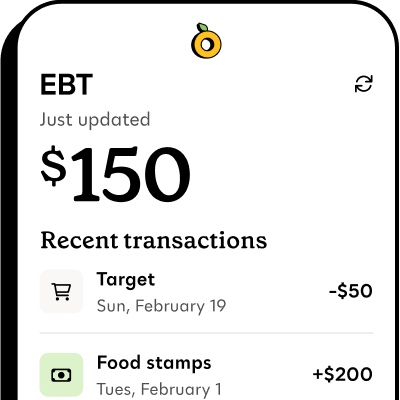
Propel is the #1-rated EBT balance checking app
How to lock your EBT card in the Propel app#how-to-lock-your-ebt-card-in-the-propel-app
Locking (or freezing) your EBT card in the Propel app helps prevent anyone else from using it without your permission.
When your card is locked, your benefits stay on your account, and new deposits can still come in, but they can’t be spent until you unlock the card.
Here’s how to do it:
- Open the Propel app
- Click on your EBT benefits at the top
- Go to your security settings
- Tap the toggle to lock your card
- When you’re ready to shop, repeat these steps to unlock it
- Lock your card again when you’re done shopping
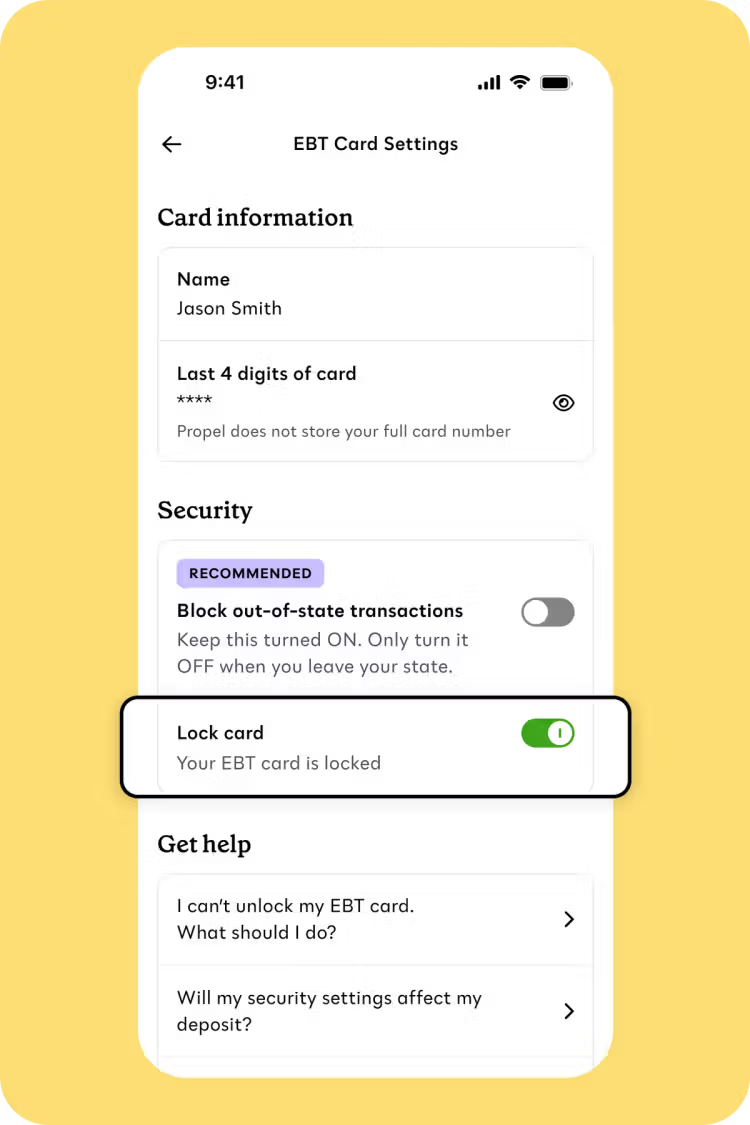
Card locking and unlocking are only available in supported states.
As of February 2026, this feature is currently available in: AK, AZ, CA, CO, DE, DC, FL, GA, GU (Guam), HI, ID, IL, KS, KY, MA, MD, ME, MI, MN, MO, NE, NV, NH, NJ, NM, NY, NC, ND, OH, OK, OR, PA, RI, SC, SD, TN, UT, VT, VI (Virgin Islands), VA, WA, WV, WI, WY
Propel is committed to safety
Propel’s EBT security features can help keep your benefits safer.
In addition to locking your card, you can also:
- Block out-of-state transactions
- Block online transactions
- Get alerts for suspicious transactions
Propel encrypts your data and does not store your EBT PIN, full EBT card numbers, or Social Security Number.
How do I know if my EBT card is locked?#how-do-i-know-if-my-ebt-card-is-locked
When you open the Propel app and access your security settings, check to see if the toggle is on and the lock display is green. If it’s not on and the display is gray, your card is currently unlocked and can be used for purchases.
Each time you lock or unlock your card, a pop-up should appear at the top of your screen to let you know whether your card is currently locked or unlocked.
Other ways to lock your EBT card#other-ways-to-lock-your-ebt-card
You can also lock your card using your state’s online portal or another EBT app, like ConnectEBT or ebtEDGE. You’ll typically need to take the following steps:
- Log in to your state’s EBT portal or whichever app you use (like ConnectEBT)
- Find the lock/unlock card or freeze/unfreeze card option
- Select how you want the card to lock (such as locking all transactions or blocking out-of-state use only)
Some states have their own state-specific apps to manage EBT benefits, like Your Texas Benefits, where you can lock and unlock your card.
Your state may also offer an auto-relock feature that automatically locks your card 30, 60, or 90 minutes after it is unlocked.
More ways to protect your EBT benefits#more-ways-to-protect-your-ebt-benefits
There are many ways to help keep your EBT benefits safe. Along with locking your card in the Propel app, these tips and precautions can add an extra layer of protection:
- Use Propel’s other security features, like suspicious transaction monitoring and online-transaction blocking
- Keep your EBT PIN secret and change it regularly
- Lock your EBT card when you're not using it, and only unlock it right before a purchase
- Watch for card skimmers at checkout
- Monitor your account for suspicious activity
- Be aware of EBT text scams or phone calls